

Only users with Admin or Payment Initiator roles will be able to view and use the payment initiation feature.
1
Navigate To The Balance Page
2
Click "Top Up Balance"
3
Select Account
The listed accounts are enterprise accounts that are associated with your company. If you have no enterprise accounts created, you will be prompted to create one.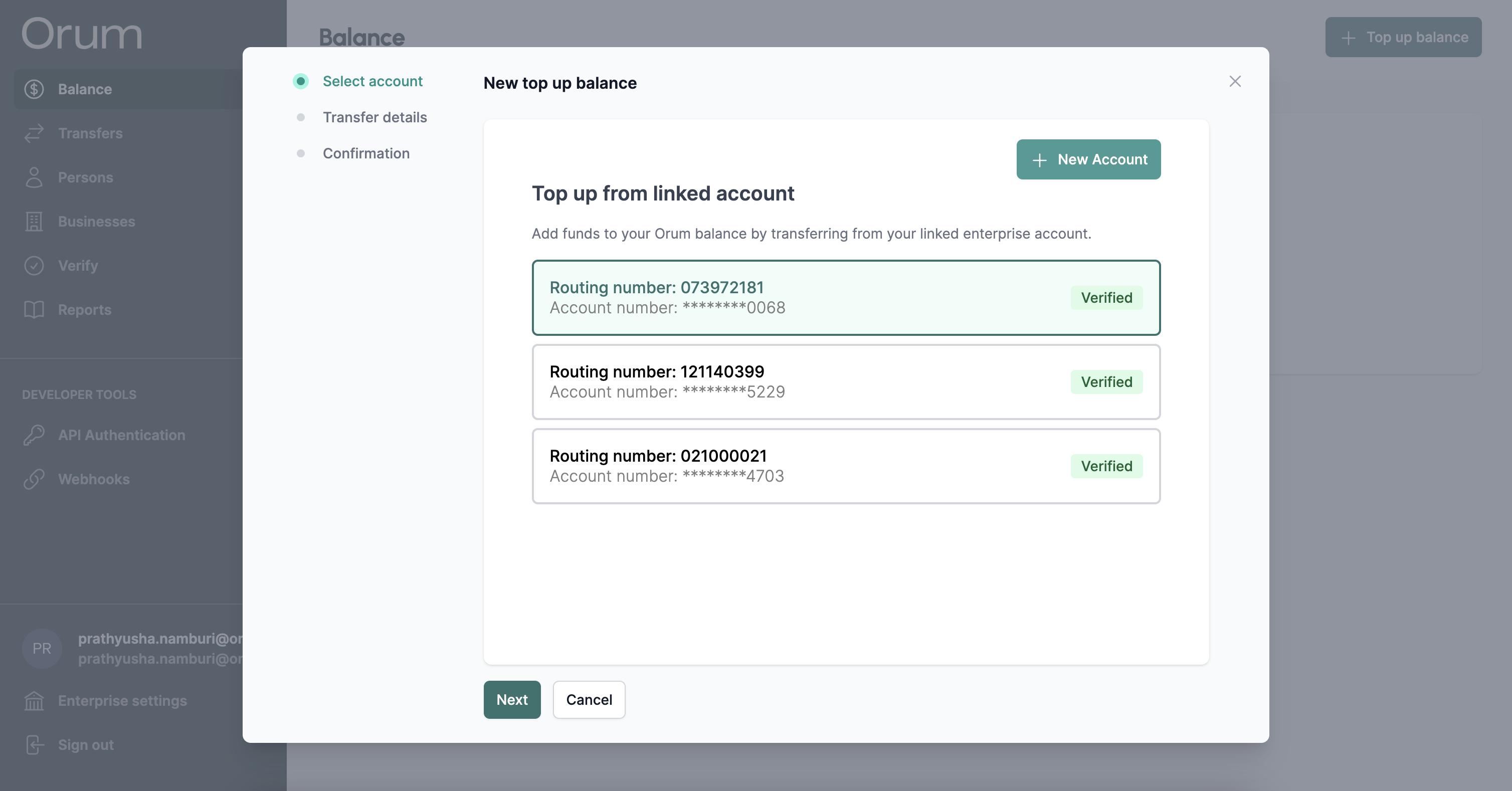
4
Fill In Your Transfer Details
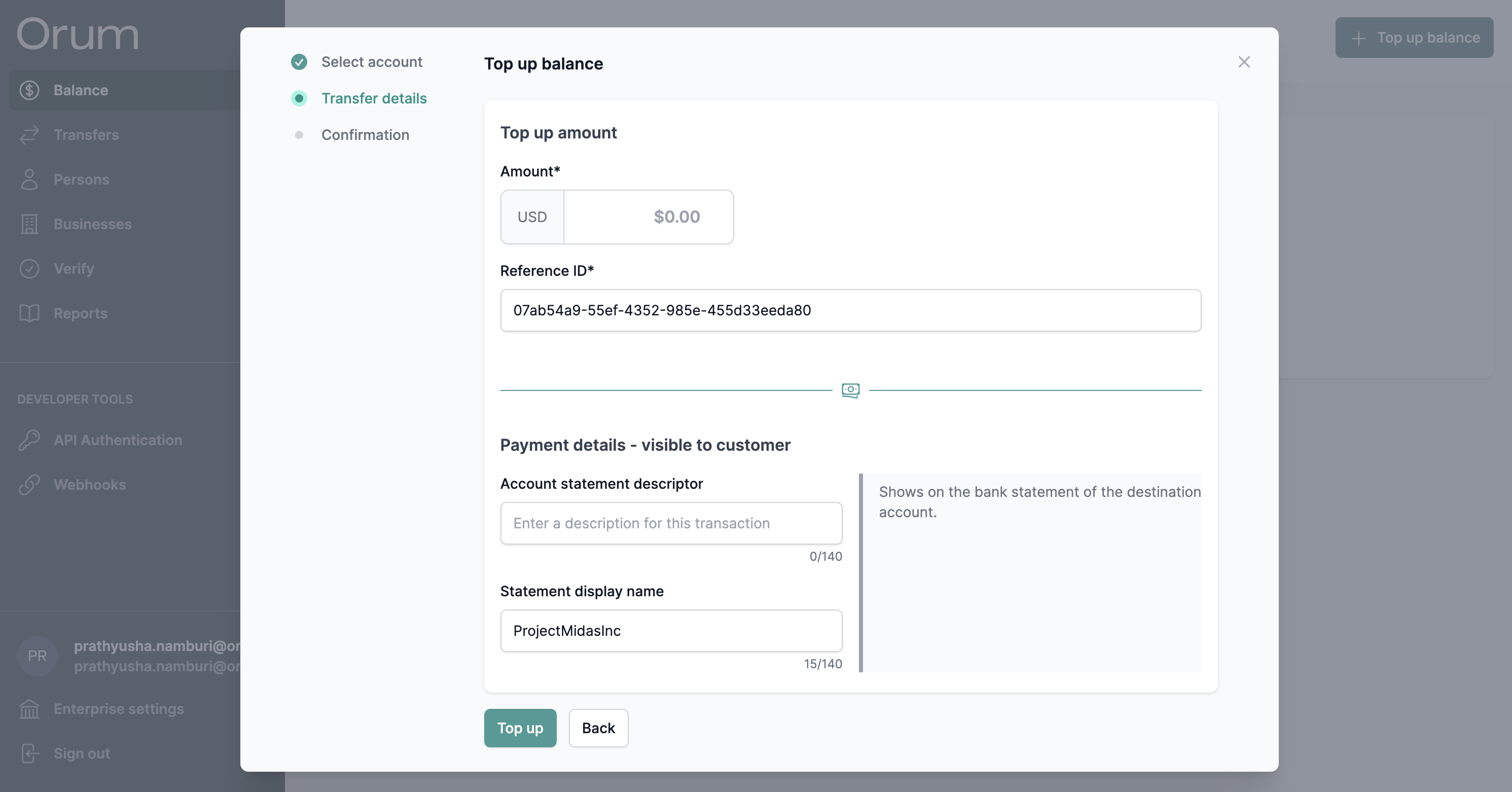
5
Click Top Up
Once submitted, you can track the status from the transfers page.
Want to send Orum a wire to fund your FBO? Send a note to [email protected] and we’ll provide instructinos. We only accept domestic wires.