> ## Documentation Index
> Fetch the complete documentation index at: https://docs.orum.io/llms.txt
> Use this file to discover all available pages before exploring further.
# Top Ups
> Easily add funds to your FBO balance via top-ups.
Only users with Admin or Payment Initiator roles will be able to view and use the payment initiation feature.
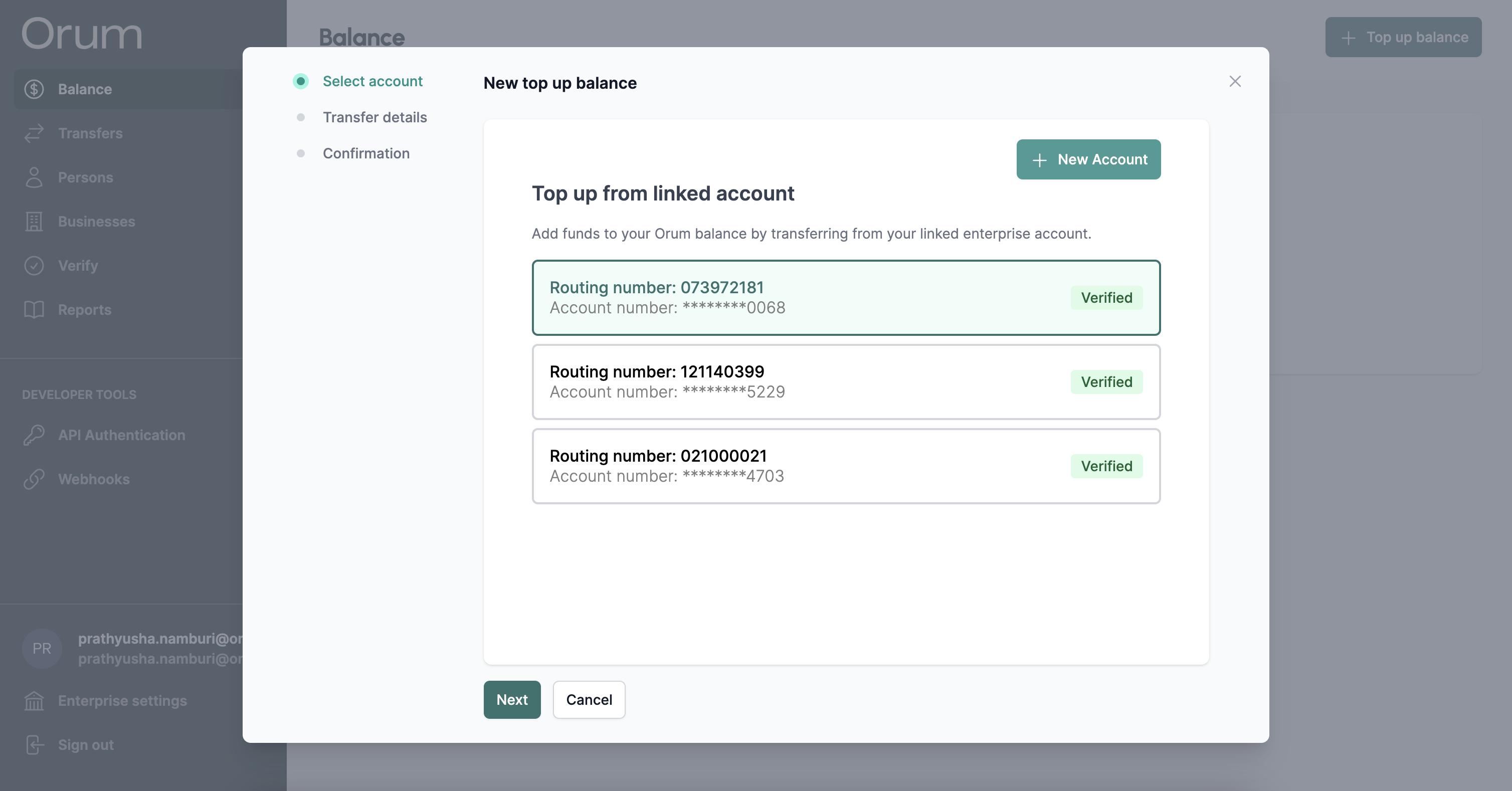
The listed accounts are enterprise accounts that are associated with your company. If you have no enterprise accounts created, you will be prompted to create one.
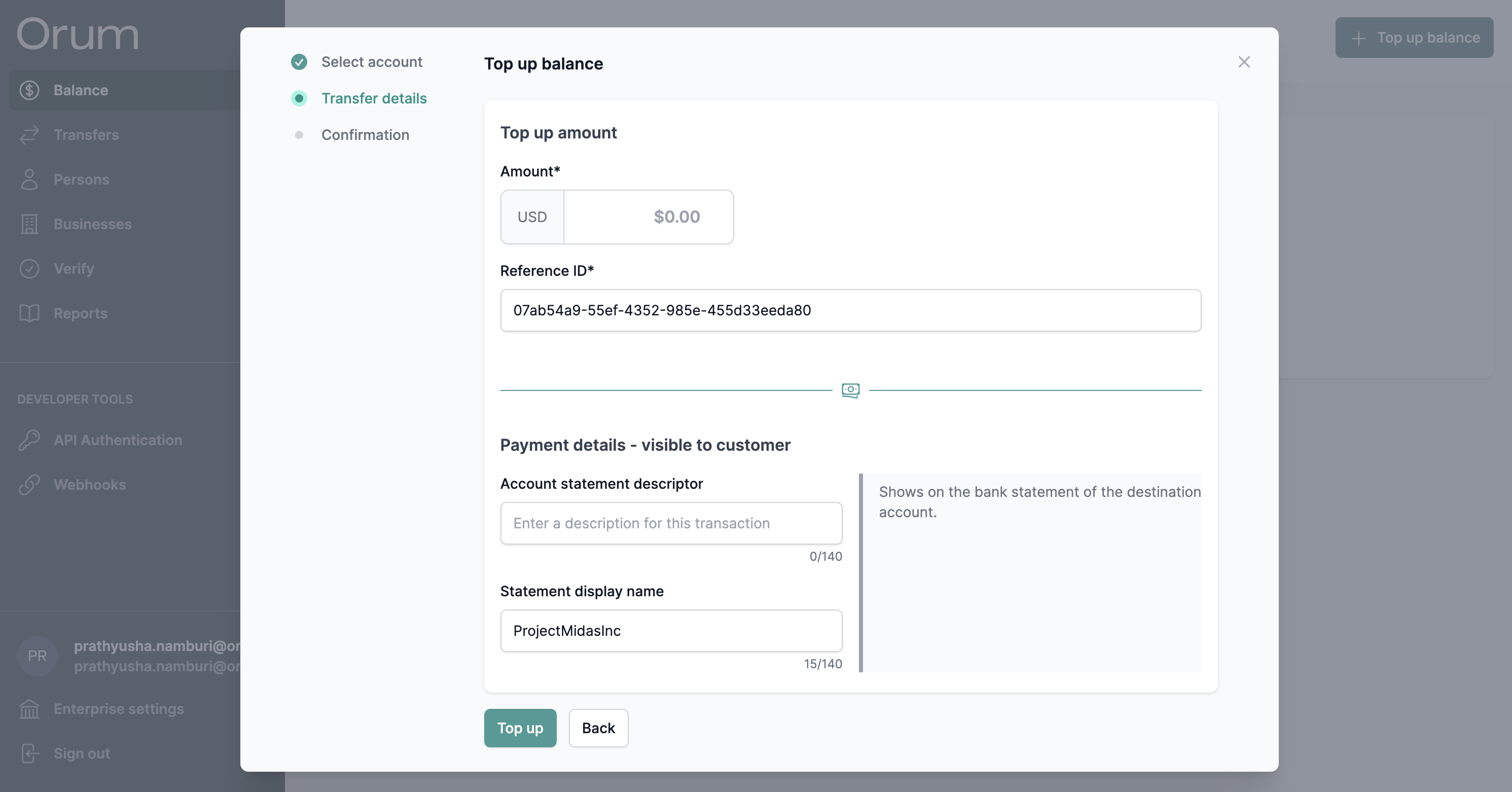 Once submitted, you can track the status from the transfers page.
Want to send Orum a wire to fund your FBO? Send a note to [service@orum.io](mailto:service@orum.io) and we'll provide instructinos. We only accept domestic wires.
Once submitted, you can track the status from the transfers page.
Want to send Orum a wire to fund your FBO? Send a note to [service@orum.io](mailto:service@orum.io) and we'll provide instructinos. We only accept domestic wires.