> ## Documentation Index
> Fetch the complete documentation index at: https://docs.orum.io/llms.txt
> Use this file to discover all available pages before exploring further.
# Authentication
> Obtain credentials and get started with Orum’s APIs
## Overview
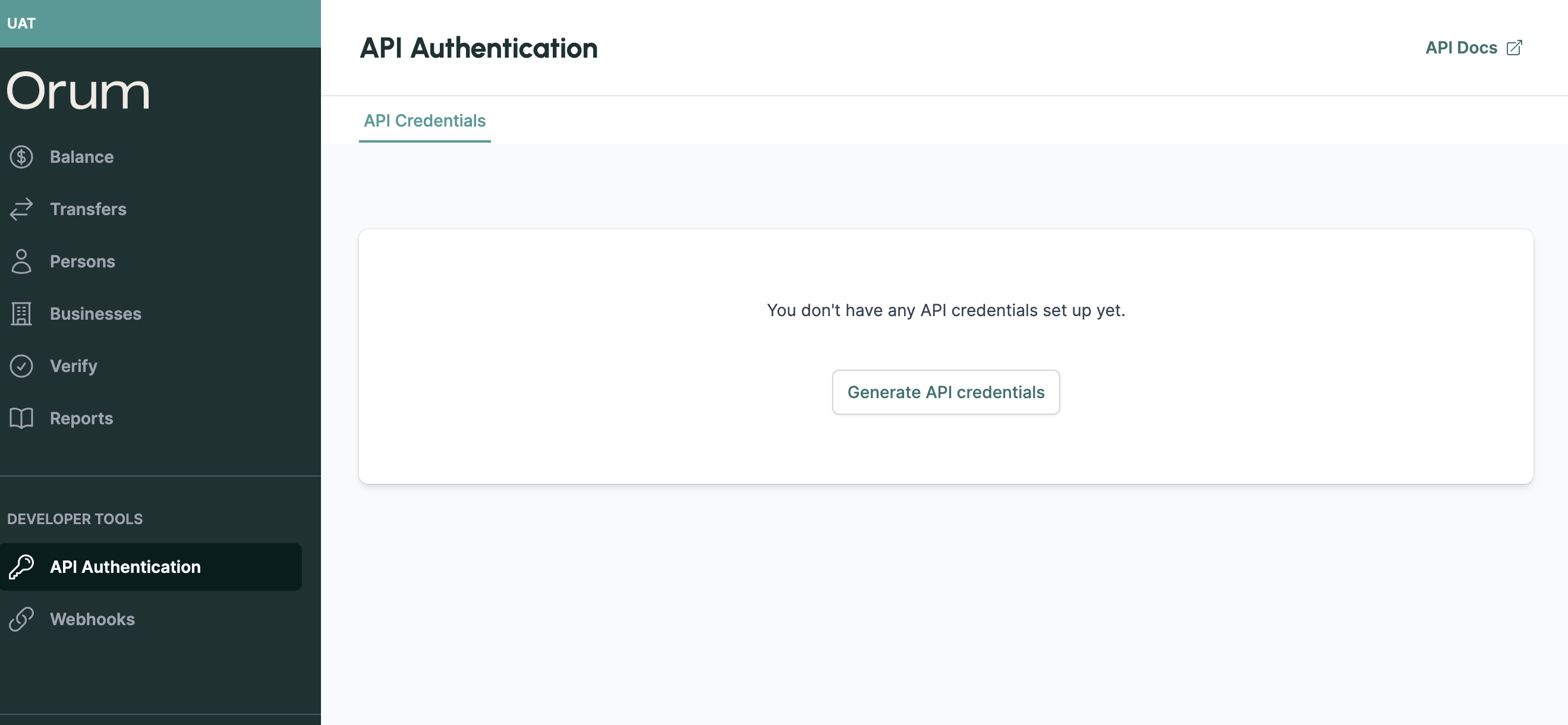
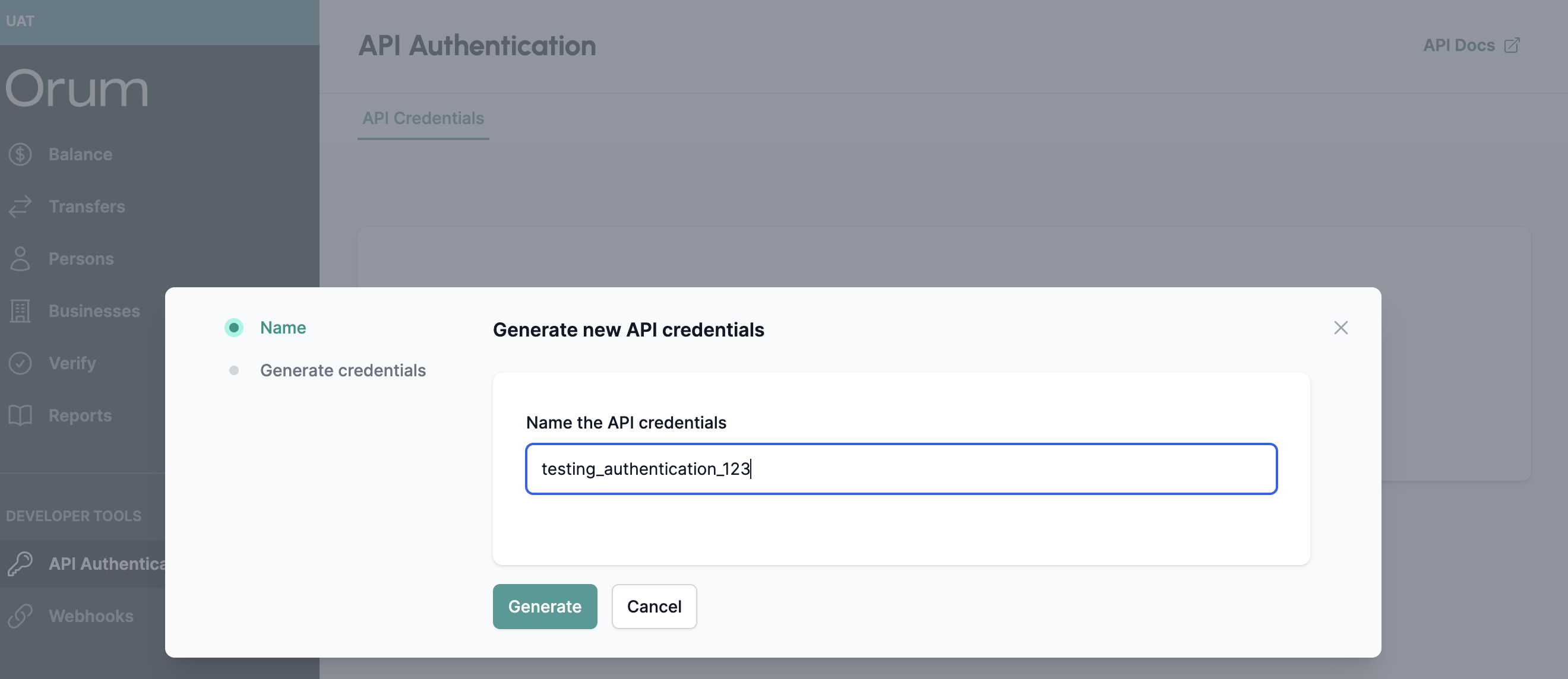
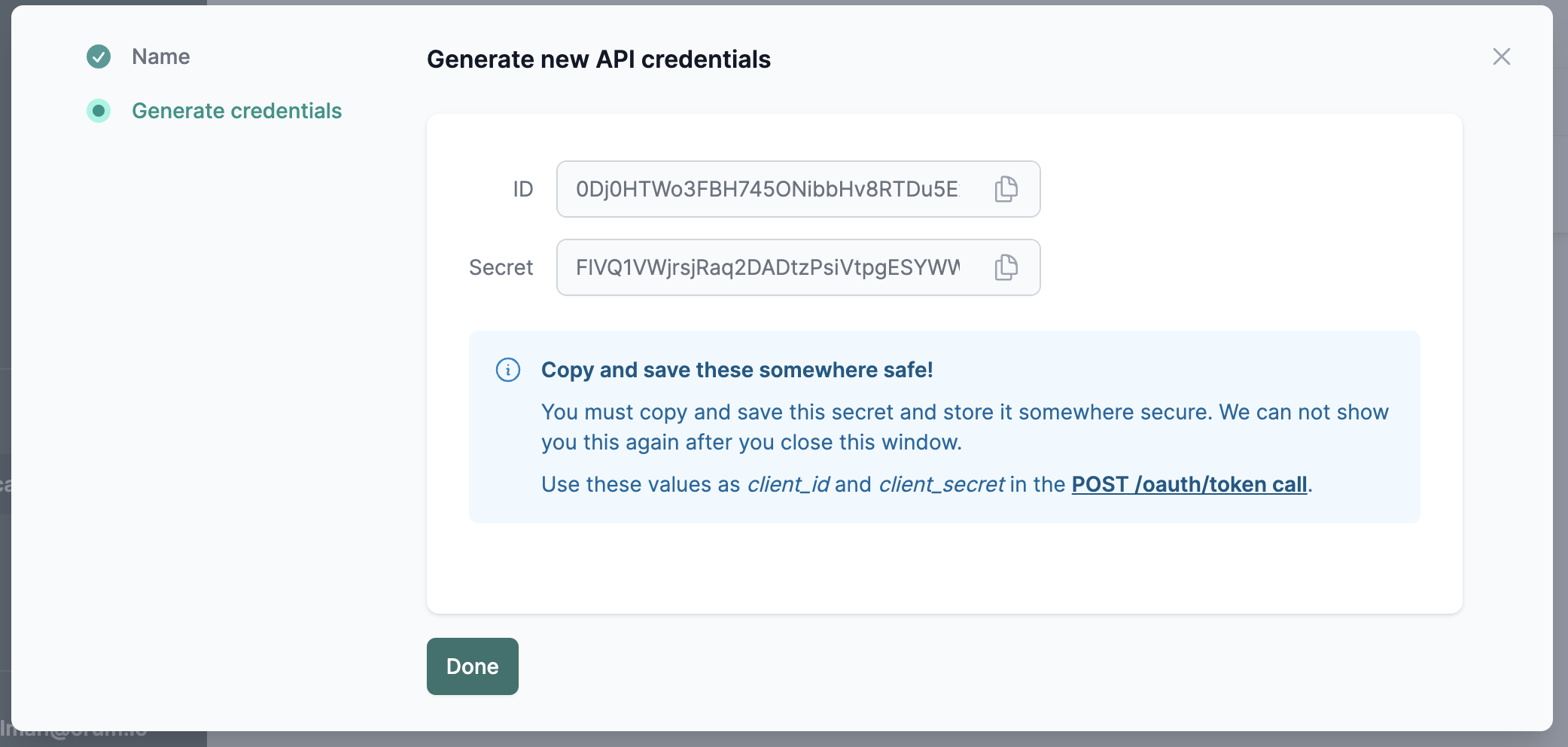
Orum’s Authentication API requires users to create a set of API Credentials to generate an auth token. Users can create and manage API Credentials directly within Monitor. See below for steps to obtain a set of API Credentials to generate your Auth token.
### API Credentials
API Credentials are specified within the body of the Orum Auth API call. These credentials can be created and deleted within the “API Authentication” page. See the screenshots below for the full flow:
 **Note:**
* These credentials are **NOT** connected to your Monitor login and password. They are created and to be managed separately.
* These credentials are **NOT** needed for any other API call — they are only used to generate an auth token.
* There is a **maximum of two** API Credentials per Enterprise per environment.
* Once you retrieve your `client_secret` store it in a secure location as you will not be able to retrieve it again. If you lose the original one or want to `rotate` your api credentials, you must generate a new set of credentials and delete the original one. **Only delete the original one after you have changed all authentication to use the new secret** as deleting a client will result in immediate failure of authentication requests with those credentials.
### Obtaining an auth token
Use the credentials generated in the step above to request a token from the [/oauth/token endpoint](/api-reference/auth/post-oauth-token).
**Note:**
* These credentials are **NOT** connected to your Monitor login and password. They are created and to be managed separately.
* These credentials are **NOT** needed for any other API call — they are only used to generate an auth token.
* There is a **maximum of two** API Credentials per Enterprise per environment.
* Once you retrieve your `client_secret` store it in a secure location as you will not be able to retrieve it again. If you lose the original one or want to `rotate` your api credentials, you must generate a new set of credentials and delete the original one. **Only delete the original one after you have changed all authentication to use the new secret** as deleting a client will result in immediate failure of authentication requests with those credentials.
### Obtaining an auth token
Use the credentials generated in the step above to request a token from the [/oauth/token endpoint](/api-reference/auth/post-oauth-token).